
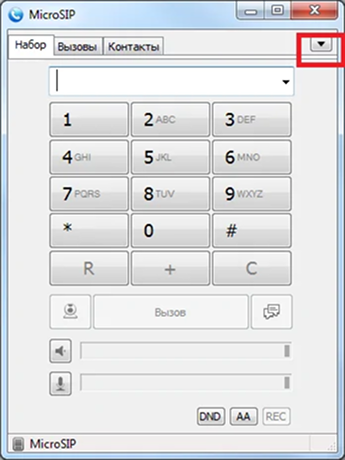
Download the program and install it.
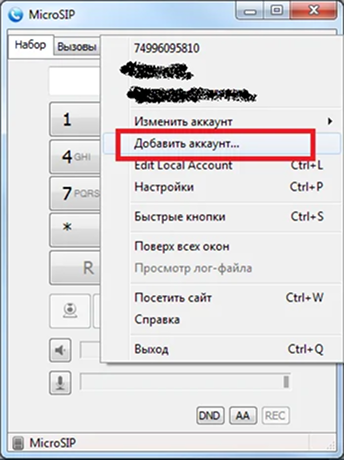
Click on the arrow in the upper right (see picture above) and click “Add account…”
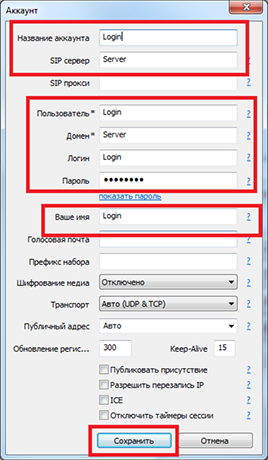
Add only the following data (do not touch other settings) and click “Save below”:
Account name: Login
SIP server: Server
User: Login
Domain: Server
Login: Login
Password: Password
Your name: Login
Now you can use the program. P.S. You need to dial numbers in the full format: country code – city code – number. Without pluses and additional characters at the beginning of the number.