
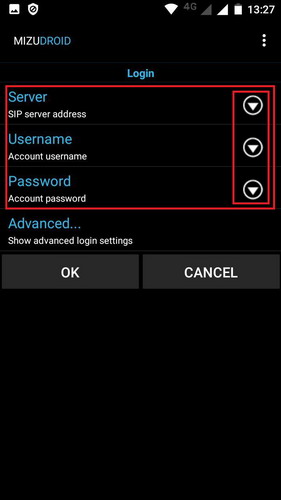
Download the MizuDroid program and install it.
After launching, you will immediately be taken to the account addition page:
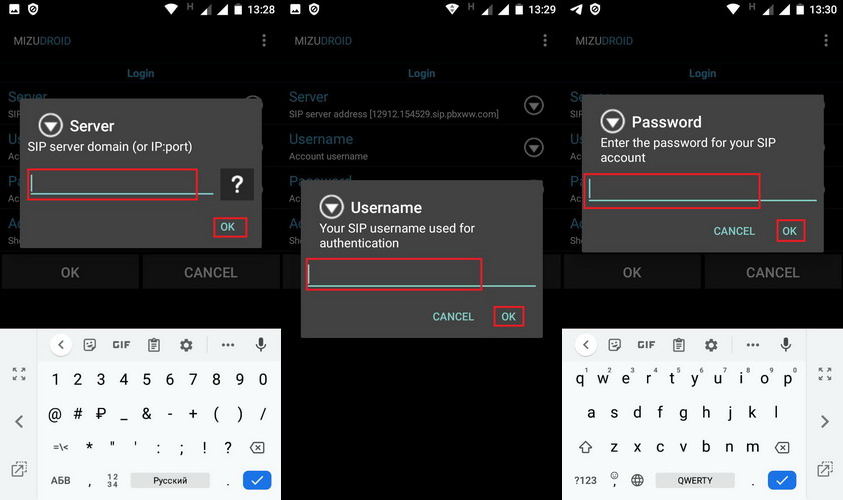
You need to add the following information:
Server: Server
Username: Login
Password: Password
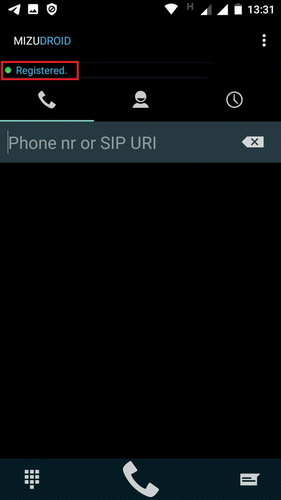
If you did everything correctly – you will see the status “Registered” and a green icon.
Now you can use the program and make calls, as well as receive calls.
P.s. You need to dial numbers in full format – country code – city code – number. Without pluses and additional characters at the beginning of the number.